A Year in Photos

Photography, fiction, and personal essays form my three primary creative outlets. For this blog's first 18 months, I used it primarily for photography. As I've returned to creative writing, I'll use this blog for fiction, too. Sometimes, when reality needs to be discussed more than truth, I write personal essays.

This blog will continue to showcase as many above-average photos as I can muster. Hopefully my written work will be as good or better than the visual. Whichever drew you here -- photographs or fiction, I hope you enjoy both.

Wednesday, February 13, 2013

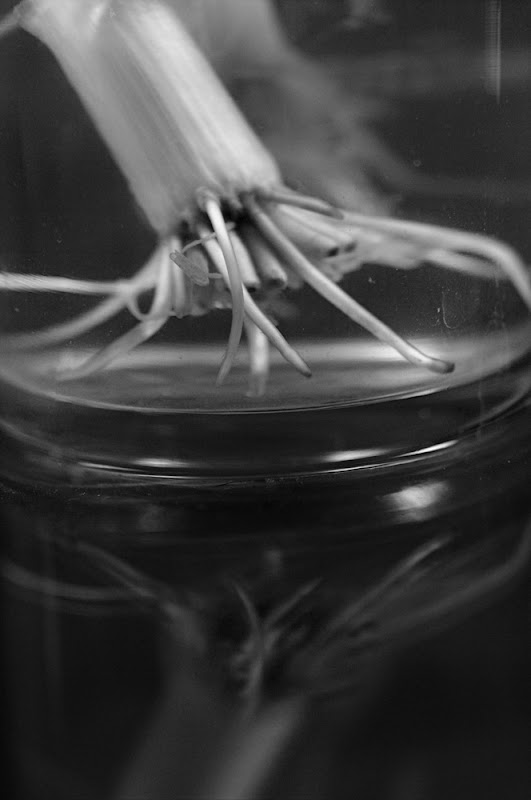
Back in Black: Scallion

Scallion. Green onion. So, clearly not an alien, though I can't vouch for its origin before the grocery store. The first images in the pairs are the color, followed by the monochrome version.


This last one is actually two images layered and selectively blended. I focused on image on the front shoot and the second on the back. Then I opened the two images in Photoshop as layers and erased the blurry shoot from the top layer. This allowed the in-focus shoot below it to show through, making it look like I had really good depth of field on this.

Tuesday, February 12, 2013

Back in Black: Ganesha

My brother brought this Ganesha back from India for me some years ago. When I was doing the black on black assignment a few weeks ago, I picked this due to the few colors that could be manipulated for effect during monochrome conversion. Here is the photo I showed you on Sunday night:
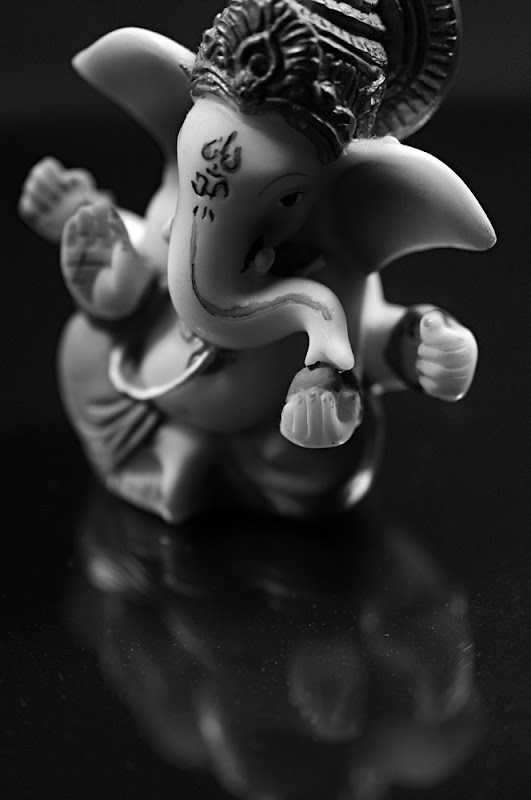

I was asked how I obtained the mirror-like reflection. Clearly, this isn't a mirror. And that's correct. It's dusty. The dust does drive me bonkers, but I was cleaning the acrylic every object or every other object! IT showed dust well.

For the base, I used a sheet (a bit smaller than standard U.S. letter paper) made of dark, translucent acrylic with a glossy finish. Also, it has a mirror backing. The plastic is about as dark as an ND2 filter with a slight tobacco tint. The result is very pleasing as a mirror if you want an instantaneous dark complexion.

The technical advantage of this surface is that both the mirror and acrylic reflect the image, guaranteeing reflection blur and, in some images, creating a slight doubling. The effect should be nice and not too overpowering.

To give you some ideas of how this works, here is another image, first in the original color and then in two monochrome iterations.


For this first image, I slid the red slider far toward darkness. This added deep shadows. In fact, the shadows are almost unpleasant in their perfection. The yellow slider I moved slightly right to add some contrast.


Here I moved the red slider uncomfortably far toward light and made the yellows slightly darker. This almost makes the netsuke appear internally illuminated.
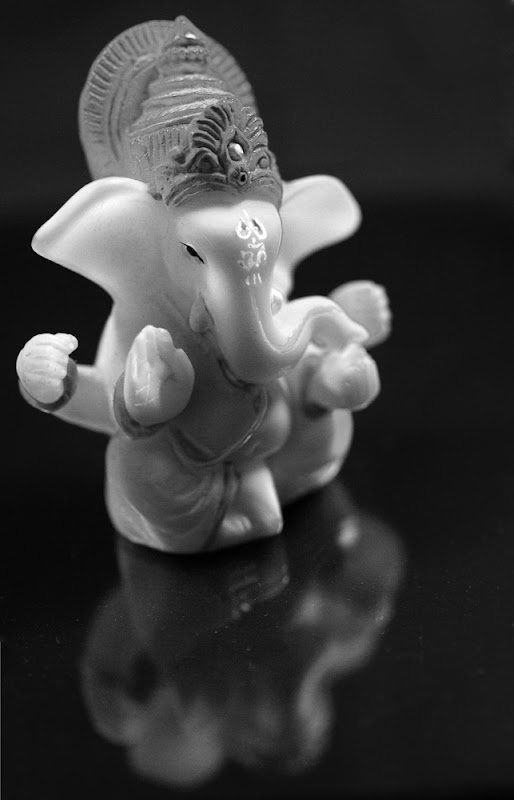
One advantage digital monochrome conversion affords photographers is the ability to creatively exaggerate monochrome effects. Neither of these effects could have been easily garnered with film and filters. Both took about 15 seconds (each) in Photoshop. So, that's a workflow improvement.

Tomorrow we'll look at this image, and some related ones:
Is it an alien from Roswell? Did it escape from Area 51? Will it walk around, haunting your nightmares until you find out what it is tomorrow?

No, maybe, and maybe, in that order.

Monday, February 11, 2013

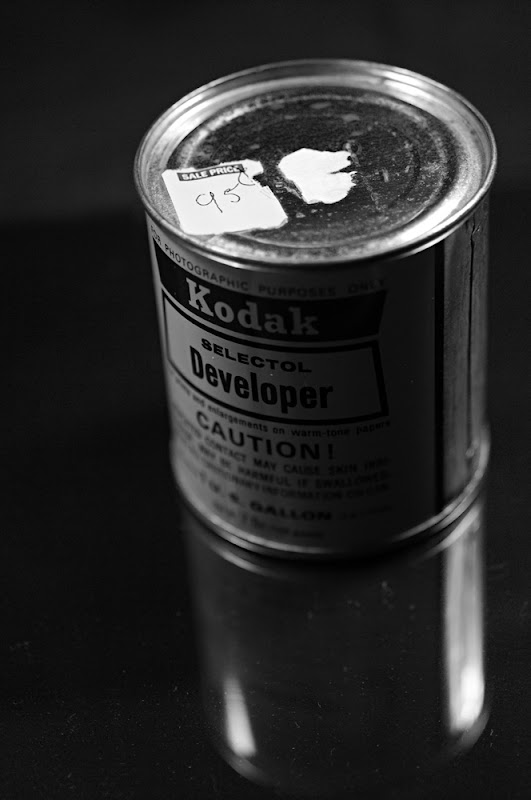
Back in Black: A Dingy Kodak Developer Can

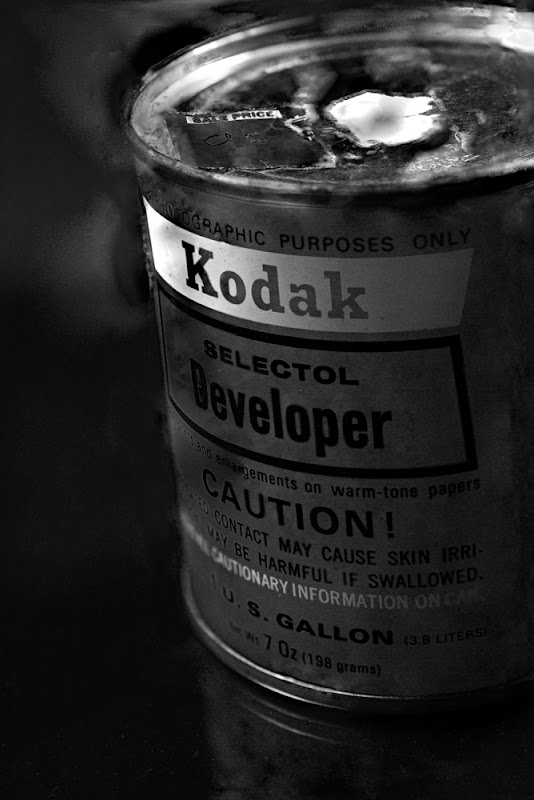
This week's first image is this one:

That is one dingy old can of Selektol. So, today's fun fact: I don't just own old cameras. I own all kinds of old photo stuff. Some time this year, this can will be opened, mixed, and used, too.

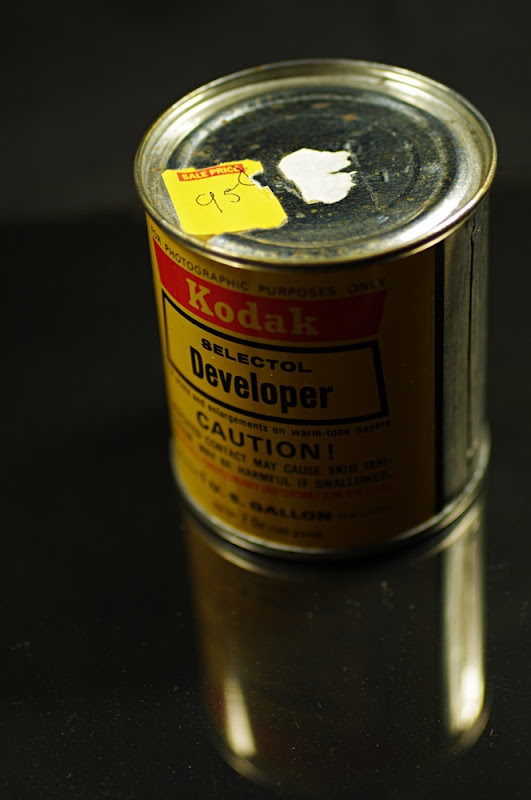
Look at that label, which looks like paper that's about to fall off the can. Stains, fingerprints, all kinds of nasty grime. What a mess. But, here's another image of that can:

It's not rally all that dingy. In fact, it's kinda clean-ish. And the label's painted on, not paper. So how did that messy effect in the firs image happen? It was a happy accident, actually.

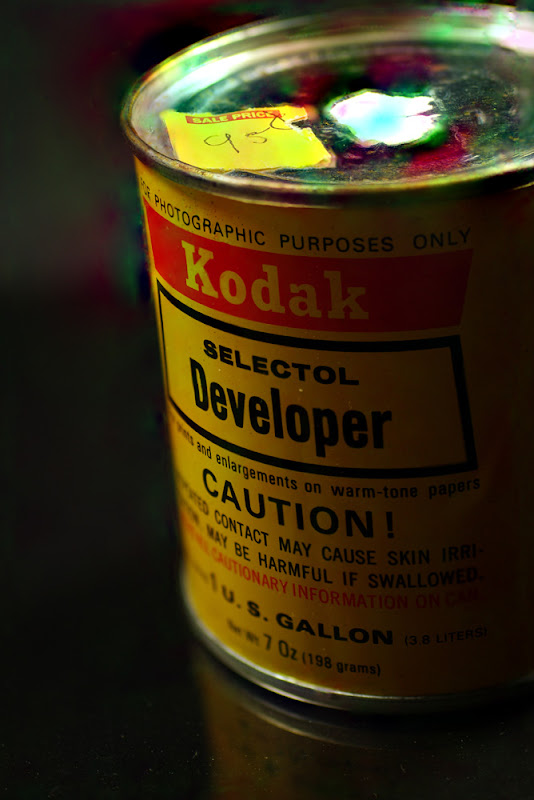
I layered two images on top of each other and then had the computer automatically blend them. The images didn't perfectly align, so here was the color result:

Pretty much useless for everything, right? Well, everything except monochrome conversion. Those red-green-violet mixing blobs can become image accents in monochrome. Basically, I just adjusted the sliders until I found a result I liked. That result was this (again):


For fun, here are a couple more images of the Selectol can:


Tomorrow, we'll look at this photo and talk about how I arrived at it and other variations on this subject.


For a quick and basic tutorial on how to do monochrome conversion in Photoshop, check out my video on the topic.

Sunday, February 10, 2013

Back in Black

This week will see a return to last year's format with photos every day. On Google+ I'm part of a private group that studies black and white photography and has weekly assignments. The other week we had an assignment to photograph objects in a perfectly black background. I had some issues with that, but still had some nifty results. This week we'll look at some results and I'll explain how I arrived at them. Here's a sample of some of what's coming.


All of these were taken on my Pentax K-7 with the Sigma 50mm 1:1 macro lens. Each post this week will explain the image and how I arrived at it, as well as providing the original color image.

Monday, February 4, 2013

Introduction to the Canon AE-1: Video 1 of 2

Canon's AE-1 35mm film SLR introduced many people to photography. This compact, light camera offered a substantial feature array at a competitive, entry-level price.

Canon achieved this price through the AE-1's computer-designed modular structure, computer designs that reduced the parts required by about 300 pieces, and plastic body and operational components. The construction has led to this camera having a considerable usable life, but the plastic components wear more easily than metal and can break in less time.

The first-ever CPU-controlled camera, the AE-1 features automatic exposure (hence the name AE) and metering that took between 0.001 and 0.04 seconds, depending on available light.


Monday, January 28, 2013

Introduction to the Nikkormat FTn: Video 1 of 2

Here is part one of the Nikkormat FTn video series. Nikon built the FTn as a complement to the professional-level F models. These durable camera introduced many Nikon users to the Nikon professional camera lineup and accompanied many professionals as backup bodies.


Made mostly of metal components, these mechanical cameras, through each of our senses, convey solidness. The weight and substance, feel, response, sound, and even smell tell the users that these are serious cameras for serious users.


Sunday, January 27, 2013

A Year in Photos: Here's what's coming

I'm starting to get back on my feet after two months without walking. In fact, today I took one of my Calumet cameras (a CC-401), my Ilex Caltar 165mm 1:4.7, and six pieces of Lucky 4X5 sheet film out to test the camera and lens. And, you know what, it works. The shots aren't remarkable in the slightest, but when they're scanned I'll post them. One of my goals this year is to learn how lens movements work and how to capitalize on them for my work. And, what I learn, I'll pass along.

In the mean time, for the next two weeks, at least, I'll post two entries a week on how to use different cameras. These will be from my YouTube feed. This week we'll look at the Nikkormat FTn. Next week, the Canon AE-1 will be the featured camera. As I record more of these, they'll be shared here, too.

Sunday, January 6, 2013

Digitizing Film Photos

I can honestly say, I wish I had figured this out a year ago. I have wanted to use my DSLR to digitize film negatives instead of my scanner. The scanner has some resolution issues at times, is slow, and has a limited useful range (in terms of negative exposure range.)

After numerous different tries and configurations, I finally managed to find a way to digitize 35mm (and smaller) negatives with a crop-sensor DSLR. This video shows you how to do it:

Here's a clickable link.


I've found the results are very good and significantly faster than scanning. To simply digitize slides without any processing takes a tiny fraction of the time. For black and white negatives (which require inversion), it takes about the same amount of time as slides, though, because the negatives come in strips and can be fed through the setup more easily.

Color negatives are still vexing. The red film base gives the DSLR some problems in terms of scanning the color accurately. What I need is an unexposed frame and to then correct the white balance to make that frame clear. Then I can scan color negatives correctly, I think.

See you again in a week!

Monday, December 31, 2012

2012 Top 20 -- Photo 1

I took this back in April. Any photo I took after it this year would have had a hard time beating it for the #1 spot. Heck -- Pentax featured this photo on their Facebook stream in a blurb about me. This is one of those images that just works well, and I'm pretty proud of the final result, too.

And, a final fun fact: This image was taken during the same shoot (though two days later than) image 16.


Next year I'll continue this blog, for the three people who read it regularly, and for myself. Last year I set a pretty ambitious goal -- a different roll of film, camera, and lens combination every day. I managed that for much of the year, but since taking a job in the suburbs let it fall off. So next year this blog will be slightly different. I'm not sure exactly how yet. I plan to mix the subjects a bit more -- photography, how-to, technical information, and so forth. With luck, I can figure out how to embed YouTube videos and have them be centered. One thing I hope to do is more integrate this blog with my YouTube channel.

Anyway, have a safe and happy new year and stick around in 2013 for more, exciting, and bigger  blog posts.

And now for some 2012 metrics:

2012 blog views (through December 30): 4,305
Most-used camera: Pentax K-7 (64 times)
Most-used FILM camera: Nikon F3 (14 times)
Most-used lens: Sigma 35-80 (42 times)
Most-used film: Foma 400 ISO (20 times)
Most-frequented location: SOMA -- San Francisco's South of Market Neighborhood (33 times)
Most-viewed entry (2012 only): An Old Camera Photographs Old Piers (50 views)


Sunday, December 30, 2012

2012 Top 20 -- Photo 2

Fun fact: This image was taken about five minutes after image 20!

Friday, December 28, 2012

2012 Top 20 -- Photo 4

Fun fact: This photo was taken just about two minutes after I took image 18. Off to the right, that's the Pacific Ocean at Ocean Beach in San Francisco.

Thursday, December 27, 2012

2012 Top 20 -- Photo 5

A 1:1 macro using a Vivitar 135mm (f 2.5) M42 lens and an Asahi Macro Bellows II. Early next year I'll do a post on how to calculate macro ratios. I'll show you both the hard way (that involves lots of maths) and the easy way (that doesn't.)

Wednesday, December 26, 2012

2012 Top 20 -- Photo 6

Perhaps not the most technically perfect shot I took all year -- the focus was on the reflected mannequin. I like how jealous the reflected mannequin looks of the foreground mannequin, as though he wants to walk over there and punch that rather unsuspecting-looking fellow.

Tuesday, December 25, 2012

2012 Top 20 -- Photo 7

Fun fact: This was taken on the same day, with the same roll of film, and in the same camera as image 14.

Monday, December 24, 2012

2012 Top 20 -- Photo 8

This is my desktop wallpaper. This is one single frame, not an image composite. It includes an F-22 Raptor, P-51 Mustang, and FA-18 Hornet. That may be a Super Hornet, actually. I'm not sure.

Fun fact: This photo was taken on the same day and with the same camera and lens as image 11.

Sunday, December 23, 2012

2012 Top 20 -- Photo 9

Robert Emmett, I believe. This sculpture silhouette was taken outside the California Academy of Sciences and DeYoung Museum. 

Saturday, December 22, 2012

2012 Top 20 -- Photo 10

So, look, you may not actually be reading this right now. Yesterday was the 21st, so today may be the first day of Armageddon. I'm writing this on December 7th, so who knows what's going to happen in two weeks. In the unlikely chance that not all of humanity was destroyed by the Mayan calendar ending yesterday, here is the first of our top 10 photos from this year's top 20!

Friday, December 21, 2012

2012 Top 20 -- Photo 11

Fun with Photoshop! This is not a whole bunch of planes making a choreographed loop; instead, this is one plane from multiple photos that I arranged in a loop. The bottom two planes I had to slightly change the direction of to achieve this overall composition. One of the reasons this works is that because all of the shots were taken from the same vantage within about 20 minutes, the lighting is from the same angle on each plane, so it looks like to could be real.

Thursday, December 20, 2012

2012 Top 20 -- Photo 12

Sunset over Walnut Creek, from Mount Diablo. From a technical perspective, this may have been my best photo of the year. Sunset images like these are notoriously difficult to capture and meter well. Mostly, though, I just lucked out. Thank goodness for bracketing!

Wednesday, December 19, 2012

2012 Top 20 -- Photo 13

The SF Public Library. I'm not a huge fan of gently upward architectural shots -- in fact, typically, I hate them. However, I liked this how because the upwardness is largely cancelled by the various angles within the image.

Tuesday, December 18, 2012

Saturday, December 15, 2012

2012 Top 20 -- Photo 17

One of my personal favorites from this past year, I enjoy how this photo's subject and her shadow work together in the composition.

Friday, December 14, 2012

2012 Top 20 -- Photo 18

This was a fun photo experiment. To capture this I took a series of images in rapid succession with my K-7. Then I used Adobe Photoshop CS4 Extended to stack, align, and blend the images into one composite. Want to see how I did it? That's right -- there's a video at the bottom of this blog post.


Thursday, December 13, 2012

2012 Top 20 -- Photo 19

A red tail hawk and a dead tree. No shade, just sky, dry grass, and heat. This was a fairly lucky shot, the hawk being in the ideal place for a rule-of-thirds composition. In fact, I used this image to create a three-minute how to about the rule of thirds. That video is below this image and also available on YouTube.


Wednesday, December 12, 2012

2012 Top 20 -- Photo 20

I really don't like Andy Warhol's art. Let me get that out up front. But, I wanted to experiment with modern art. So I took a photo specifically to try converting it into artwork. This was the result -- my 20th-best image for 2012. If you'd like to see a video explaining how I made this image, check out the video at the bottom of the page.


Tuesday, December 11, 2012

A Year in Photos -- Annual Wrap-up (7 of 7)

This photo should -- should -- have made the top 20. However, the lower left corner (this is hard to see at this resolution) from the driveway with the car vertically down the dark grass to the images bottom and all the way left exhibits what's called the 'jelly' effect. This is an example of digital cameras thinking and their thinking causing problems. The car is itself in perfect focus. My K-7 saw that car moving and decided that was what I wanted in focus, not the rest of the image. So it moved the sensor to track the car and the rest of the image looks a bit like jelly.

Otherwise, I'm pretty happy with this image. The sky exhibits some vertical gradation darkening indicative of too few sky images being taken. Vertical darker gradient lines in images stitched together from multiple shots indicate insufficient overlap between images. This manifests as dark lines because of color drop-off at the edge of images. All lenses vignette to some extent. In stitching an image together, great care should be exercised to avoid these darkened areas.


Monday, December 10, 2012

A Year in Photos -- Annual Wrap-up (6 of 7)

So far the previous five photos were pretty much random selections. These last two were almost in the top 20. This one I like as a marketing photo, but not as a creative photo. A dramatic sky, ample open space for copy, and nice clarity make this a reasonable image for a brochure. The same is true of tomorrow's photo, too. This didn't make the top 20 because in the lower right the horizon distorts and sweeps upward. But, most people aren't likely to notice that, especially if there's some text in the sky.

Sunday, December 9, 2012

A Year in Photos -- Annual Wrap-up (5 of 7)

I admit this is a photo I like. It's not framed perfectly, with a partial backhoe in the background and a partial connex box on the right. Also, there's a glaring technical flaw in the middle where part of the building behind the backhoe's arms is blurry. But, it's dramatic and uses tones decently.

As some of my early November posts discuss, photo stitching is no easy business and one mistake in one photo can ruin all the time and effort spent merging multiple photos into one image. In this case, it was the blurry building in one image that really ruins this whole photo. It's still good, but not great for that reason.

Saturday, December 8, 2012

A Year in Photos -- Annual Wrap-up (4 of 7)

I got this photo on an aluminum print and it's hanging on my office wall. I dig it. A Blue Angels FA-18 Hornet banking with sonic condensate building up on the top. This is the type of photo telephoto lenses were created for. This and bird photography. 

Friday, December 7, 2012

A Year in Photos -- Annual Wrap-up (3 of 7)

Typically, I avoid high-ISO photos like I avoid the bad parts of town. I don't like digital noise. It lacks the character and aesthetic appeal that high-ISO film yields. Yet this image, taken at ISO 1,600, had a pleasing result with rich colors and a softness that suits the subject.

And one of the things I learned this year is that high-ISO digital photos can be aesthetically pleasing given the right subject. To understand this, we should understand a bit about how digital ISO works. A digital sensor can ONLY see light in one way -- the manner in which its physical and software parameters dictate. So with high-ISO images captured on a digital camera, the photographer is basically hyper-underexposing the image.

So, using complex algorithms I won't pretend to understand, the camera's computer uses what little light was captured by the digital sensor and extrapolates what the image might have looked like. And it gets this correct, but with substantial loss of sharpness and acutance. Now, for some subjects such as this mirror hallway with painted amorphous shapes or some portraits, this can yield a nice effect. For most uses, though, using high ISO settings should be an option of last resort.

Thursday, December 6, 2012

A Year in Photos -- Annual Wrap-up (2 of 7)

Coffee. Back when I was a kid, every year in grade-school chorus we had to sing this song. "C-o-f-f-e-e, coffee, that's the drink for me." And it went on from there, though I don't recall the rest. Coffee. Either this photo says that coffee is love, or that coffee is a radish. I'm not sure which.

Wednesday, December 5, 2012

A Year in Photos -- Annual Wrap-up (1 of 7)

Well, this was a mixed year. I managed to maintain the daily roll of film goal for about seven or eight months (ending at the same time as my taking a job in the suburbs, where there is less interesting stuff to photograph.) But I did manage to take a good number of photos with which I am happy or very happy. Since I'm in a cast and immobile until sometime in January, I'll use this month to summarize this past year, meaning all the best photos are coming every day from now until the end of the month.

Starting on the 12th, I'll begin a countdown of my 20 best photos from 2012. Next year, we'll pick back up again in late January, once I'm back on my feet. Until the 12th, I'll share a mix of good photos and some of the YouTube videos I've made throughout the year.


Blackbeard here is from Fisherman's Wharf, San Francisco. He's outside one of the shops along the wharf, and the link in the previous sentence takes you to that exact shop on Google Maps.

Black and white photography captures many subjects well -- those with texture, contrast, and that certain quality which transcends description benefit greatly from black and white. Certain subject simply lend themselves better to rendition in silver. Black and white film, and black and white in digital, still sees color, though. And using light and color to your benefit when shooting in black and white can help enhance, moodify, or ruin an image. Here's a video I did earlier this year on using colored filters to enhance black and white imagery. This video explains -- and shows -- how colored filters change the way a medium sees tones as colored filters manipulate light wavelengths that reach the photographic medium.

Monday, December 3, 2012

Back Shortly

So the blog has been away for a month. Mostly due to personal constraints, now due to me being in a cast until well into January. Later this week, though, I'll be back and begin a series to wrap-up this blog for the year.

Thursday, November 1, 2012

Single Image, Lots of Scale

Lest you think I'm simply a photo-stitch fauxtographer, I wanted to share an architectural photo I took that is a single shot. I set myself up for this shot by selecting my place and waiting for people. This took very little time.

Without the people, this bridge has neither scale no depth. This shot shows that the spire is a good distance away and the person near the spire shows it has significant height, too.